Colour grade in one click.
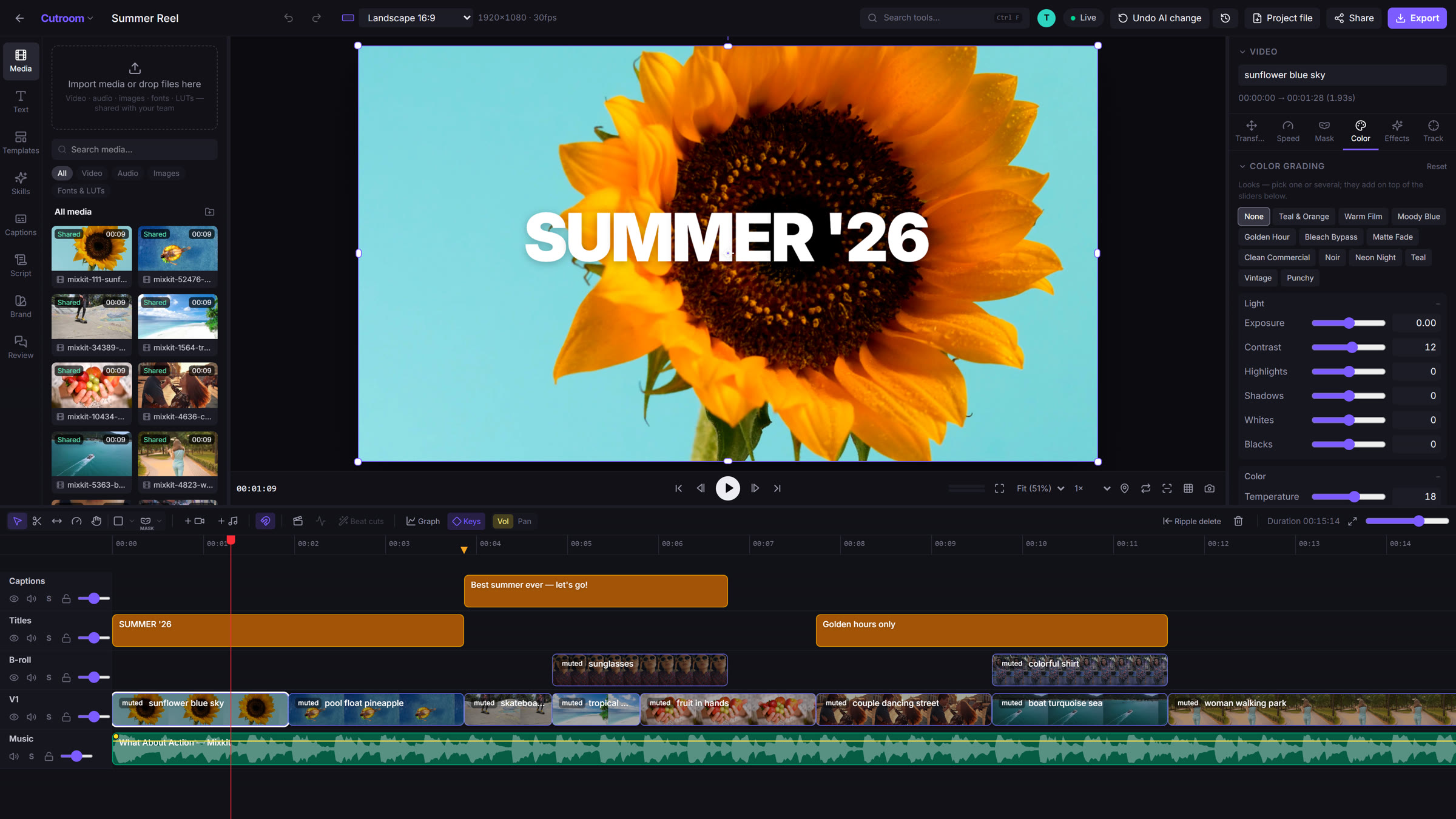
Looks, wheels, curves and LUTs, on the GPU. Drag to compare.

Takejam is the video editor your whole team can work in at the same time, right in the browser. Cut, grade and caption together, let AI do the busywork, and export 4K on your own GPU.




 now
now
Video, audio, photos, fonts and LUTs, up to 4K.
Your media plays the moment it lands.
Split a clip on the beat with one key. Ripple, roll and slip like you would in Premiere.
Drag an edge and the timeline follows. Every edit snaps, every edit is undoable.
Keyframes on everything, with real curves. Masks, shapes, trim paths, glow and motion blur.
Render 4K in your browser on your own GPU. No queue, no upload, no waiting.
Tell Takejam what you want, in plain words. Or connect Claude, ChatGPT or Gemini and let them edit on your timeline, live, like a teammate.
Looks, wheels, curves and LUTs, on the GPU. Drag to compare.
Word-by-word, in your brand style.
Green screen keying and AI cut-outs, in seconds.
Ramp from slow motion to 4× with real motion blur.
A real graph editor. Ease anything.
16:9, 9:16, 1:1, 4:5 and custom, in one click.
Exports render right in your browser.
Your files stay on your computer. Nothing is uploaded unless you share it.
The finishing touches, built in.
Like Figma, but for your timeline. Everyone's changes land instantly, with comments, versions and approvals built in. Move your mouse in here: you're on the team.

Our launch film was edited, animated and exported entirely in Takejam.
No installs.
No uploads.
No waiting.
Edit together.
Anywhere.
The full editor, for everyone.
No credit card
Start freeFor people who ship video every week.
One timeline for the whole crew.
Minimum 2 seats
Start with your teamFounding members: the first 500 get Creator for $36 a year, locked in for life.
Takejam is an online video editor that runs in your web browser. Your whole team can edit the same timeline at the same time, AI can cut and caption for you, and videos export in up to 4K on your own computer. There is nothing to install.
Yes. The Free plan includes the full editor, free forever, with no credit card. Creator costs $5 a month or $48 a year and adds 4K export, a brand kit and 30-day version history. Team costs $8 per seat a month for editing together live, with roles and client review links.
No. Takejam runs in a browser tab on Windows, Mac and Linux. It works best in Google Chrome or Microsoft Edge on a computer.
Yes. Like a shared document, everyone on a Team plan edits one timeline live and sees each other's playheads and changes instantly. Owners can give people editor, commenter or viewer roles, and clients can leave notes on a private review link.
Your video, audio and image files stay on your own computer. They are not uploaded to Takejam's servers. When a teammate needs a file, it is copied directly between your computers. Takejam only keeps the edit itself, so your team can work on it together.
Yes. Auto-captions, background removal, object tracking and audio clean-up are built in and run on your device. You can also connect Claude, ChatGPT or Gemini, describe the edit in plain words, and watch the AI make it on your timeline.
Yes. Takejam exports MP4, MOV and WebM. The Free plan exports up to 1080p; Creator and Team plans export in 4K, with HEVC and AV1 for smaller files.
Join the beta. Bring your team, your footage and your favourite AI.